

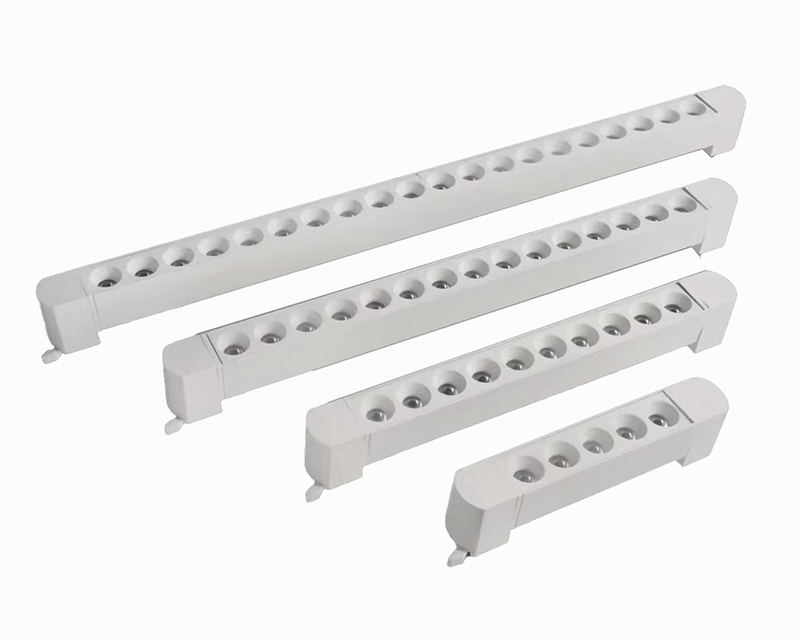
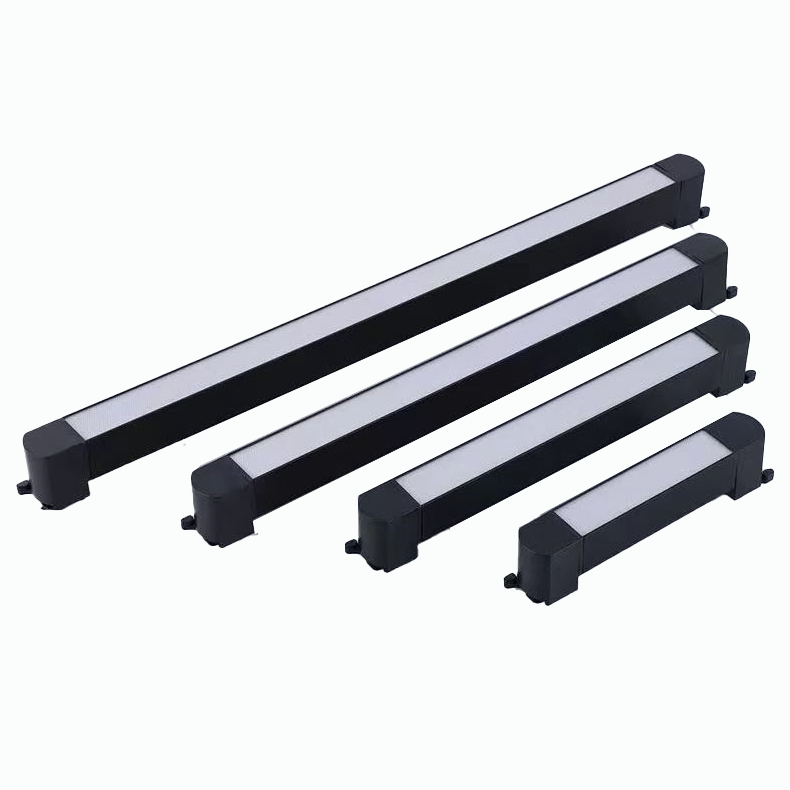
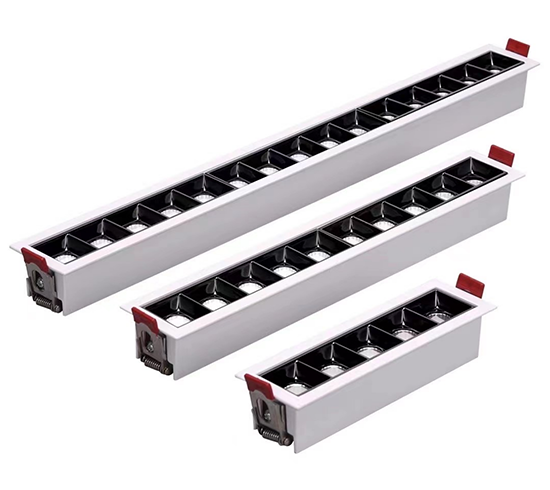
LEDs illuminate a vast majority of American homes, with nearly 90% of owner-occupied units using them. Successfully maintaining LED flush mount ceiling lights preserves their long-term performance and appearance. The process involves a few key areas:
Routine Cleaning: Gentle cleaning keeps the fixture looking new and shining brightly.
Troubleshooting: Flickering often points to an incompatible dimmer switch, a common issue with modern lighting.
Replacement: An LED Ceiling Light Manufacturer designs these integrated led light fixtures as single units. When the light fails, the entire fixture requires replacement, a standard practice from most led light manufacturers.
Understanding Your LED Flush Mount Fixture

To properly maintain a modern light fixture, a homeowner must first understand its construction. Unlike traditional fixtures, integrated LED flush mount ceiling lights are self-contained systems. Each part works together to deliver efficient, long-lasting illumination.
The Key Components
Four primary elements make up most LED flush mount fixtures. Manufacturers typically construct these components from durable and functional materials.
Metal
Glass
Plastic
The Integrated LED Array
This is the heart of the fixture. Instead of a socket for a screw-in bulb, the fixture has a built-in circuit board populated with light-emitting diodes (LEDs). This array is the permanent light source.
The Light-Softening Diffuser
The diffuser is the cover, often made of frosted glass or acrylic plastic, that you see on the ceiling. Its job is to spread the intense, direct light from the LEDs, creating a soft and even glow throughout the room.
The LED Driver (Power Supply)
LEDs run on low-voltage direct current (DC), but home wiring supplies high-voltage alternating current (AC). The LED driver is an internal power supply that converts the home's AC power to the correct DC voltage for the LED array. It is a critical component for proper function.
The Fixture Housing
The housing is the fixture's body and base, usually made of metal. It holds all the components together and mounts to the ceiling. It also plays a crucial role as a heat sink, drawing heat away from the LED array to protect it.
Why You Can't Change a Bulb
The most common point of confusion with these fixtures is the absence of a replaceable bulb. This is an intentional design choice rooted in modern LED technology.
The All-in-One Design Explained
Historically, fixtures and bulbs were separate because incandescent bulbs had very short lifespans. LED technology changed this. With lifespans stretching for decades, the light source is no longer a routine replacement item. Manufacturers now integrate the LEDs directly onto an aluminum circuit board. This design efficiently transfers heat to the fixture's housing, a process vital for maximizing the LED's longevity.
What an "Integrated" LED Means
The term "integrated" signifies that the light source and the fixture are one complete, inseparable unit. The LEDs are engineered to last as long as the fixture itself. If the light source fails, the entire fixture requires replacement.
Lifespan Expectations
Integrated LEDs are known for their impressive longevity, which is a key selling point.
What a 50,000-Hour Rating Means
Manufacturers often rate their fixtures for 30,000 to 60,000 hours of use. A common high-quality rating is 50,000 hours. If a light is used for three hours per day, a 50,000-hour lifespan translates to over 45 years of service.
LED Type | Lifespan (hours) |
|---|---|
Integrated ceiling downlights | 30,000–60,000 |
Factors That Affect Longevity
Several factors can influence this lifespan. Excessive heat, power surges, and incompatible dimmer switches can all shorten the life of the internal components, particularly the LED driver. Proper installation and use are key to achieving the maximum rated life.
Essential Cleaning and Maintenance for Flush Mount Ceiling Lights
Proper cleaning and maintenance preserves the fixture's appearance and ensures optimal light output. Over time, dust, grease, and grime can accumulate on the diffuser, dimming the light and making the fixture look dated. A consistent cleaning routine is a simple yet effective form of lighting maintenance.
Gathering Your Supplies
A homeowner must first gather the right tools and cleaning agents. Using the correct supplies prevents damage to the fixture's surfaces.
Recommended Cleaning Tools
A small collection of basic household items is all that is necessary for a thorough cleaning. A person should have these items ready before starting.
A sturdy step ladder or stool
Soft, lint-free microfiber cloths
Protective gloves for a secure grip
A small bowl for the cleaning solution
Needle-nose pliers (if the fixture has a metal trim with spring clips)
Cleaning Agents to Avoid
The choice of cleaning agent is critical. Harsh chemicals can permanently damage or discolor the light's diffuser cover. Homeowners should avoid abrasive powders and certain liquid cleaners.
Important Note: Always test a new cleaning agent on a small, hidden area of the plastic or painted housing first. This precaution prevents widespread damage if the cleaner is incompatible.
Chemicals to avoid include:
Bleach
Ammonia-based cleaners (like many window sprays)
Abrasive scouring powders or creams
Solvents or degreasers not specifically rated for plastics
Step-by-Step Cleaning Guide
This six-step process ensures a safe and effective fixture cleaning. Following these steps in order protects both the user and the light fixture.
Step 1: Turn Off Power at the Breaker
Safety is the top priority. A homeowner must turn off the corresponding circuit breaker in the home's electrical panel. Flipping the wall switch to the "off" position is not enough. This step eliminates any risk of electric shock during the cleaning process.
Step 2: Gentle Dusting for Routine Upkeep
For weekly or bi-weekly cleaning, a simple dusting is sufficient. A person can use a microfiber cloth or an extendable duster to wipe away light dust from the exterior of the fixture. This prevents buildup and reduces the need for deep cleaning.
Step 3: Removing the Diffuser Cover
To perform a deep cleaning, a person must remove the diffuser. Most flush mount ceiling lights use a twist-on or clip-on mechanism.
Position the Ladder: Place the step ladder on a flat, stable surface directly beneath the fixture.
Grip the Cover: Wearing gloves provides a better grip and keeps fingerprints off the diffuser.
Detach the Cover:
For Twist-On Covers: Firmly grip the edges of the diffuser and rotate it counter-clockwise. It should loosen and come free after a quarter or half turn.
For Clip-On Covers: Some covers are held by small, flexible clips. A person may need to gently push the cover up toward the ceiling to release pressure, then carefully pull down on one edge to release the clips. For decorative trim held by spring clips, needle-nose pliers can help squeeze and remove the clips.
Step 4: Deep Cleaning the Diffuser
With the diffuser removed, it can be washed thoroughly. The best cleaning solutions are mild and non-abrasive.
Mild Soap and Water: A simple solution of warm water and a few drops of dish soap is effective for most dirt and grime on both glass and plastic diffusers.
Natural Solutions: For stubborn stains, a diluted solution of vinegar or a paste of baking soda and water can be used gently.
Eco-Friendly Cleaners: Many commercially available biodegradable soaps and natural cleaning agents are safe for these materials.
A person should use a soft cloth to wash the diffuser inside and out. After washing, rinse it completely with clean water and dry it thoroughly with a separate microfiber cloth to prevent water spots.
Step 5: Wiping the Fixture Housing
While the diffuser is off, it is a good time for cleaning the fixture's base. A person can wipe the metal or plastic housing with a dry or slightly damp microfiber cloth. This removes any dust or dead insects that have collected inside.
Step 6: Safe Reassembly and Testing
Once the diffuser and housing are clean and completely dry, a homeowner can reattach the diffuser. A person should secure it by reversing the removal process, ensuring it locks or clips firmly into place. After reassembly, they can go to the electrical panel, switch the circuit breaker back on, and test the light.
How Often to Clean Your Lights
The ideal cleaning frequency depends on the fixture's location within the home.
General Cleaning Schedule
For fixtures in living rooms, bedrooms, and hallways, a deep cleaning is recommended every 6 to 12 months. Regular dusting every few weeks will keep them looking their best between deep cleanings.
Special Care for Kitchen and Bathroom Fixtures
The environment in kitchens and bathrooms requires more frequent cleaning and maintenance.
Kitchens: Airborne grease and cooking particles create a sticky film that attracts dust. These fixtures may need a deep cleaning every 3 to 6 months.
Bathrooms: High humidity can cause dust to cling to the fixture and may lead to mildew if not cleaned regularly. A cleaning every 4 to 6 months is advisable.
Troubleshooting Common Issues
Even with their long lifespan, integrated LED fixtures can sometimes present issues. A homeowner can often resolve common problems like flickering, dimming, or a complete failure to turn on with some basic troubleshooting. Identifying the root cause is the first step toward a solution.
Fixing a Flickering Light
A flickering light is one of the most frequent complaints with LED fixtures. This annoying strobe effect usually points to an issue with the electrical supply or a component incompatibility rather than a fault in the LED array itself.
Check for Loose Wiring
Before investigating complex issues, a homeowner should always check for loose connections. Over time, vibrations can cause wires to shift.
Safety First! ⚡ Before inspecting any wiring, a person must turn off the power to the light fixture at the circuit breaker.
After shutting off the power, a homeowner can remove the fixture's diffuser and housing to access the wiring. They should gently tug on each wire nut connection to ensure the wires are secure. If any connection is loose, they should unscrew the wire nut, twist the wires together firmly, and re-secure the nut.
The Common Culprit: Dimmer Switches
The most common cause of flickering is an incompatible dimmer switch. Older dimmers, designed for the high power draw of incandescent bulbs, cannot properly regulate the low-voltage power required by LEDs. This mismatch creates instability in the electrical current, causing the light to flicker.
How to Check Dimmer Compatibility
Identifying an incompatible dimmer involves checking the switch itself and observing the light's behavior. Signs of a mismatch are often clear.
Incorrect Dimmer Type: The fixture may require a specific dimmer, such as an electronic low voltage (ELV) or magnetic low voltage (MLV) type. Using a standard dimmer will cause flickering.
Flickering at Low Levels: Many LEDs have a minimum dimming level. If the dimmer tries to dim the light below this threshold, the fixture will flicker or shut off entirely.
Improper Calibration: Some modern dimmers require calibration to match the fixture's load range. An uncalibrated switch can lead to poor performance.
If a homeowner suspects an incompatible dimmer, the best solution is to replace it with a modern, LED-compatible model. Many reputable brands offer excellent options.
Lutron Diva LED+ Dimmer: A popular choice known for its reliability and flicker-free performance.
TP-Link Kasa Smart Wi-Fi Dimmer: A great smart-home option that works with major platforms like Alexa and Google Assistant.
Leviton Decora Smart Dimmer: Another excellent smart dimmer that offers stable performance and modern features.
Upgrading to a compatible dimmer switch resolves the vast majority of flickering issues.
When Flickering Means a Failing Driver
If flickering persists after a homeowner confirms the wiring is secure and the dimmer is compatible, the issue may be a failing LED driver. The driver is the internal power supply, and it can wear out over time, especially from heat or power surges. A failing driver will struggle to provide consistent voltage, resulting in flickering. In this case, the entire fixture needs replacement.
What to Do If the Light Won't Turn On
When a fixture fails to illuminate, a homeowner should follow a logical diagnostic process, starting with the simplest potential problems.
Check the Circuit Breaker and Switch
The first step is always the easiest. A homeowner should check the home's electrical panel to see if the circuit breaker has tripped. If it has, they can reset it by flipping it completely off and then back on. They should also confirm the wall switch is functional.
Inspecting the Fixture's Wiring
If the breaker and switch are fine, the next step is to inspect the fixture's internal connections. After turning off the power at the breaker, a homeowner can perform these checks:
Examine Wire Connections: Remove the fixture from the ceiling to inspect the wire nuts connecting the fixture to the home's wiring. A loose connection here will prevent power from reaching the light.
Inspect the Power Cord: Look for any visible damage, pinches, or breaks in the wires leading to the LED driver.
Assess for Component Malfunction: A faulty LED driver (power supply) is a common point of failure. If the driver has failed, it will not convert AC power to the DC power the LEDs need. This is an internal component, and its failure means the fixture must be replaced.
Addressing a Dim or Buzzing Light
A light that is noticeably dimmer than it used to be or emits an audible buzzing sound points to specific electrical issues.
Check Dimmer Settings First
If the fixture is on a dimmer, a homeowner should first ensure the slider or dial is not set to a low level. Some smart dimmers can also have their maximum brightness level capped within an app. A person should check these digital settings before assuming a hardware failure.
Dimming as a Sign of Component Failure
If a non-dimmable fixture becomes dim, or a dimmable one is dim at full power, it often signals end-of-life for the fixture. This gradual loss of brightness can be caused by the degradation of the LED driver or the LEDs themselves after tens of thousands of hours of use. This is not a repairable issue; it indicates it is time for a replacement.
Causes of a Buzzing LED Light
A buzzing or humming sound from an LED fixture is almost always caused by electromagnetic interference (EMI). The sound does not come from the LEDs but from the vibration of internal electronic components in the driver. The primary causes include:
Dimmer Incompatibility: This is the leading cause. An incompatible dimmer sends an unstable electrical signal that makes the driver's components vibrate, creating a buzz.
Faulty LED Driver: A low-quality or failing driver can buzz even without a dimmer switch due to internal component issues.
Electrical Interference: Other devices on the same circuit can sometimes introduce interference that causes a sensitive LED driver to buzz.
In most cases, replacing an old dimmer with a quality, LED-compatible model will eliminate the buzzing sound. If the buzzing occurs on a standard on/off switch, it strongly suggests the driver has failed.
Advanced Guide to Maintaining LED Flush Mount Ceiling Lights
Beyond routine cleaning, advanced maintenance strategies protect the sensitive electronics inside your fixtures. Proactive measures focusing on heat, power quality, and surge protection can significantly extend the operational life of an LED flush mount light. This level of care ensures a homeowner gets the maximum value and performance from their investment.
Ensuring Proper Ventilation
Heat is the primary adversary of all semiconductor electronics, including LEDs. Managing thermal buildup is critical for long-term reliability.
Why Heat Is the Enemy of LEDs
Excessive heat accelerates the degradation of the materials within an LED fixture, leading to several performance issues. High temperatures can cause a range of problems that shorten a fixture's life.
Permanent Lumen Degradation: Heat causes irreversible changes in the LED materials, resulting in a permanent loss of brightness.
Color Temperature Shifts: Poor thermal management can cause the color of the light to change over time, often shifting toward a cooler, bluer hue.
Component Failure: The most severe outcome is the complete failure of the LED driver or the LEDs themselves as internal components reach their breaking point.
Checking for Trapped Heat or Insulation
Proper installation is key to preventing heat buildup. A homeowner should ensure the fixture has adequate space to dissipate thermal energy, especially in ceilings with insulation.
IC-Rated Fixtures: These are specifically designed for direct contact with insulation and have built-in safety features to prevent overheating.
Non-IC-Rated Fixtures: These fixtures require at least three inches of clearance from any insulation material to allow air to circulate and cool the housing.
Blocking ventilation traps heat, which will inevitably shorten the fixture's lifespan.
Using the Right Wall Switches
The wall switch is more than just an on/off button; it is an active part of the lighting circuit that directly impacts fixture performance.
The Importance of Quality Switches
A high-quality, modern switch provides a clean and stable electrical signal to the LED driver. Cheap or aging switches can cause intermittent connections or electrical noise, which may contribute to flickering or buzzing. Using switches from reputable brands ensures reliable operation and protects the fixture's sensitive driver from unnecessary stress.
Avoiding Incompatible Smart Switches
While smart switches offer convenience, not all are universally compatible with every LED fixture. Some smart switches have minimum load requirements that a single, low-wattage LED fixture may not meet, leading to flickering or erratic behavior. A homeowner should always check the smart switch's specifications to confirm it is rated for use with low-power LEDs before installation.
Protecting Fixtures from Power Surges
Power surges are brief but powerful voltage spikes that can instantly damage or destroy electronic devices.
How Surges Damage LED Drivers
Voltage surges cause premature wear on the sensitive components within an LED driver. Even small, frequent surges from the electrical grid or nearby lightning strikes can degrade the driver, leading to flickering, dimming, and eventual failure. A significant surge can destroy the driver outright, rendering the entire fixture useless.
The Role of Surge Protectors
A whole-house surge protector is the best defense against this threat. Installed at the main electrical panel, it diverts excess voltage safely to the ground before it can reach and damage sensitive electronics like LED fixtures.
When selecting a whole-house surge protector, a homeowner should look for key specifications:
UL 1449 Certification: This ensures the device meets strict safety and performance standards.
High Amperage Rating (kA): A rating of 50kA or higher provides robust protection.
Low Clamping Voltage: This indicates the voltage level that triggers the protection; a lower number is better.
Installing a Type 2 surge protector at the breaker panel shields all circuits in the home, providing comprehensive protection for all LED lighting.
When to Call a Professional Electrician
While many troubleshooting steps are within a homeowner's reach, some electrical issues demand professional expertise. Knowing when to put down the tools and call an electrician is a critical part of safely maintaining led flush mount ceiling lights. Attempting complex electrical work without proper training can lead to property damage, personal injury, or fire hazards.
Signs the Job Is Beyond DIY
A homeowner should immediately stop work and contact a licensed electrician if they encounter certain warning signs. These symptoms often point to deeper, more dangerous problems within the home's wiring that basic troubleshooting cannot solve.
Critical Warning Signs: ⚠️ Never ignore these indicators of a serious electrical problem.
Persistent Flickering: If lights continue to flicker after a homeowner has checked for loose connections and confirmed dimmer compatibility, it may signal an overloaded circuit or a voltage problem from the utility provider.
Excessive Heat: A fixture housing that is hot to the touch indicates a serious issue. This could be caused by faulty internal wiring or improper installation without adequate ventilation, creating a significant fire risk.
Burning Smells: Any burning odor from a light fixture, switch, or outlet is an emergency. A homeowner should turn off the power at the circuit breaker immediately and call a professional, as this smell indicates that components are overheating to the point of combustion.
Benefits of a Professional Diagnosis
Hiring a professional offers peace of mind and ensures the problem is fixed correctly and safely. An electrician brings specialized tools and knowledge to accurately diagnose the root cause of an issue, saving a homeowner time and preventing further complications. While professional services have a cost, the investment guarantees safety and compliance with local electrical codes.
A professional diagnosis provides several key advantages:
Accurate Problem Identification: Electricians can test circuit loads, identify faulty wiring, and pinpoint failing components with precision.
Safety and Compliance: They perform all work according to strict safety standards, ensuring the fixture and wiring are safe for long-term use.
Efficient Repairs: A professional can resolve the issue quickly, often in a single visit.
Most electricians charge an hourly rate for troubleshooting, typically ranging from $75 to $150. If a repair or full fixture replacement is needed, the total cost often falls between $100 and $300, a reasonable price for guaranteed safety and correct installation.
End-of-Life: Replacing Your Integrated LED Fixture

Every light fixture eventually reaches the end of its service life. For integrated LED flush mounts, this means replacing the entire unit. A homeowner can confidently manage this process by recognizing the signs of failure and following a safe replacement procedure.
Knowing When It's Time for a Replacement
Definitive signs indicate that an integrated LED fixture is failing. These symptoms point to the degradation of internal components.
Significant Dimming: A noticeable drop in brightness, known as lumen depreciation, signals that the LEDs are aging.
Inconsistent Flickering: Persistent flickering or buzzing that troubleshooting cannot solve often means the internal driver is failing.
Discoloration: A yellowed or warped plastic diffuser can alter the light's color and reduce its output.
Excessive Heat: A fixture that is unusually hot to the touch has an internal fault that poses a safety risk.
The Reality: No User-Serviceable Parts
An integrated LED fixture is a sealed system. The LED array and driver are built directly into the housing and are not designed for individual replacement. When these core components fail, the entire fixture has reached its end-of-life. A homeowner cannot simply change a bulb or swap out an internal part.
Confirming the Fixture Has Failed
Before purchasing a replacement, a homeowner should confirm the fixture itself is the problem. After turning off the power at the breaker, they can use a non-contact voltage tester to verify that electricity is reaching the fixture's wiring. If power is present but the light does not work, the fixture has failed.
Safety Alert: ⚠️ If a homeowner sees sparks or smells something burning, they should turn off the power immediately. These are signs of a serious electrical issue, and the fixture needs immediate replacement.
How to Choose a New Fixture
Selecting a new fixture involves matching its performance and style to the room. A homeowner should consider brightness, color, and size.
Matching Brightness and Color Temperature
Brightness is measured in lumens, while color temperature is measured in Kelvin (K). A lower Kelvin value produces a warm, yellow light, while a higher value creates a cool, blue-white light.
Kelvin (K) Range | Recommended Use | Light Appearance |
|---|---|---|
Bedrooms, Living Rooms | Warm & Inviting | |
3000K–4000K | Kitchens, Bathrooms | Neutral & Bright |
4000K–5000K | Garages, Workspaces | Cool & Task-Oriented |
Considering Style and Size
A homeowner should choose a new fixture that complements the room's decor. They should also measure the diameter of the old fixture to select a new one that is a similar size. This ensures the new base will cover any paint lines or marks left on the ceiling.
Step-by-Step Replacement Process
Replacing a fixture is a straightforward DIY project if a homeowner follows safety protocols. They will need basic tools like a screwdriver, wire strippers, and a voltage tester.
Step 1: Turn Off Power and Remove the Old Fixture
A homeowner must first turn off the power at the circuit breaker. They should then remove the old fixture's cover and base to expose the wiring, unscrewing the wire nuts to disconnect it.
Step 2: Install the New Mounting Bracket
Most new fixtures come with a universal mounting bracket. A person should screw this bracket securely to the electrical box in the ceiling.
Step 3: Connect the Wires Correctly
A homeowner should connect the wires from the ceiling to the new fixture. The standard connection is black wire to black (hot), white wire to white (neutral), and the bare copper wire to the green ground screw on the bracket.
Step 4: Attach the New Fixture
With the wires connected, a person can attach the new fixture's base to the mounting bracket. They should then secure the diffuser cover.
Step 5: Restore Power and Test Your Work
Finally, a homeowner can restore power at the circuit breaker. They should then flip the wall switch to test the new light.
Maximizing the Lifespan of Your Flush Mount Ceiling Lights
A homeowner can extend the life of their fixtures far beyond basic cleaning. Proactive strategies that focus on daily use, environmental conditions, and installation quality are essential for maintaining led flush mount ceiling lights. These best practices protect the sensitive internal electronics, ensuring years of reliable performance.
Best Practices for Daily Use
How a person uses their lights every day directly impacts the longevity of the internal components, especially the LED driver.
Avoid Rapid On-Off Cycling
LEDs are more resilient to frequent switching than older bulbs. However, rapid on-off cycling still places stress on the internal driver. Each time a person flips the switch, a small inrush of current fatigues the driver's components. While a driver is designed for thousands of cycles, minimizing unnecessary switching can help it last longer. Using timers or occupancy sensors is an effective way to reduce this wear.
Use Dimmers Correctly
Using a dimmer correctly is crucial for fixture health. A homeowner must pair the fixture with a modern, LED-compatible dimmer. This ensures the driver receives a stable electrical signal, preventing the stress that leads to flickering, buzzing, and premature failure. Smart controls that allow for scheduled dimming can also optimize energy use and reduce wear on the components.
Environmental Factors to Consider
The room's environment plays a significant role in the performance and lifespan of flush mount ceiling lights.
Humidity and Damp Locations
Moisture is a major threat to electronic components. For fixtures installed in bathrooms, laundry rooms, or covered porches, a homeowner must choose a product with an appropriate Ingress Protection (IP) rating.
Tip for Damp Areas: Look for fixtures with a rating of at least IP44. This rating ensures the fixture is protected against splashes of water and condensation, preventing moisture from damaging the internal driver and LED array.
Ambient Room Temperature
Heat is the primary enemy of LED longevity. Most fixtures operate optimally in ambient temperatures between -22°F and 104°F. High temperatures force the driver and LEDs to work harder, accelerating their degradation. A mere 10°C increase in operating temperature can cut an LED driver's lifespan in half. Ensuring good air circulation around the fixture helps dissipate heat effectively.
The Value of a Quality Installation
A professional and secure installation forms the foundation for a long-lasting light fixture. This is a critical aspect of long-term lighting maintenance.
Ensuring Secure Connections
Loose wire connections are a common source of problems. An insecure connection can interrupt the flow of electricity, causing flickering, buzzing, or complete failure. These poor connections can also lead to voltage drops that damage the LED driver over time. A quality installation ensures every wire is securely fastened.
Proper Grounding for Safety
A proper ground connection is a non-negotiable safety requirement. The ground wire provides a safe path for excess electrical current to travel away from the fixture, protecting it from power surges. This simple connection safeguards both the home's occupants and the fixture's sensitive electronics.
Successfully maintaining LED flush mount ceiling lights depends on three key actions. First, consistent, gentle cleaning preserves the fixture's brightness and appearance. Second, a homeowner should check dimmer compatibility and wiring first when troubleshooting common issues. Finally, a person must accept that these integrated fixtures require full replacement. This design choice means the entire unit becomes obsolete when the light fails, making routine cleaning the primary long-term care task a homeowner can perform.
FAQ
Why can't a person change the bulb in an integrated LED fixture?
Integrated fixtures have a built-in LED array instead of a socket for a bulb. This design improves heat management and longevity. When the light source fails, a homeowner must replace the entire fixture, as there are no user-serviceable parts inside.
What is the best way to clean the plastic diffuser cover?
A homeowner should use a soft, microfiber cloth with a solution of mild dish soap and warm water. They must avoid abrasive cleaners, ammonia, or bleach, which can damage the plastic. After washing, a person should rinse it well and dry it completely before reassembly.
Why is my new LED light flickering?
Flickering most often results from an incompatible dimmer switch. Older dimmers cannot properly regulate power for low-wattage LEDs. A homeowner should replace the switch with a modern, LED-compatible model. Loose wiring can also be a cause, so checking connections is a good first step.
Do all LED flush mount lights work with a dimmer?
No, not all fixtures are dimmable. A homeowner must check the product's specifications before purchase. Using a dimmer with a non-dimmable fixture will damage the internal driver and cause it to fail. Always pair dimmable fixtures with a compatible LED dimmer switch.
How long should an integrated LED fixture last?
Most quality fixtures are rated for 30,000 to 60,000 hours of use. For a light used three hours per day, a 50,000-hour rating translates to over 45 years of service. However, factors like heat and power surges can shorten this lifespan.
Is it safe to install a standard LED fixture in a bathroom?
For damp locations like bathrooms, a homeowner must choose a fixture with an appropriate IP rating.
Look for a fixture rated at least IP44. This rating ensures it is protected from water splashes and humidity, which prevents damage to the internal electronics and ensures safety.
When should a homeowner call an electrician?
A homeowner should call a professional if they notice signs of a serious issue.
A burning smell
Excessive heat from the fixture
Persistent flickering after basic troubleshooting
These symptoms indicate a problem that requires an expert diagnosis for safety and proper repair.